Standalone Server
Visual Studio Template
Download the template and DLLs from this release.
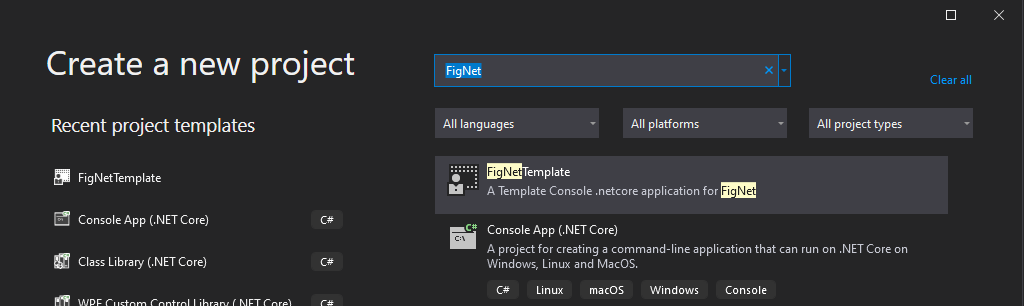
Place the template as-is in C:\Users\UserName\Documents\Visual Studio 2019\Templates\ProjectTemplates\Visual C#.
It will then appear as follows in the project creation window:
Add/update the following references:
- FigNet.dll
- FigNetProviders
- FigNetServer
- FigNetClient [if application type is client]
Creating a Project From Scratch
OR to create a project from scratch: CONSOLE BASED SERVER - create a new .NET Core console application.
Add following references
- FigNet.dll
- FigNetProviders
- FigNetServer
- FigNetClient [if application type is client]
Add following NuGet packages
- ENet-CSharp
- LiteNetLib
- MessagePack
- Serilog
- Serilog.Sinks.Console
- Serilog.Sinks.File
- SimpleTCP.Core
- WebSocketSharp-netstandard
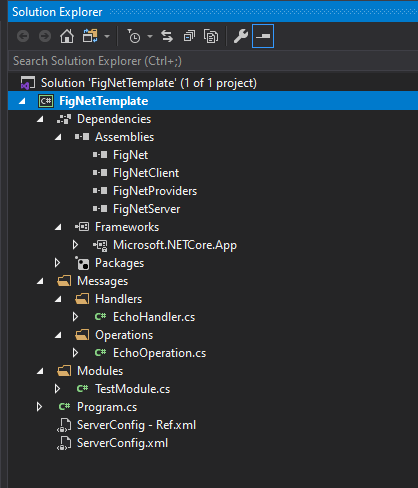
Set the provider of your choice and the port number in ServerConfig.xml and run the server.